Sanghyeon Moon
Pixel Artist
Practicing UV Mapping in Blender 3D. (Tutorial X)
I made Petit Idolm@ster's (Puchimas) character, Chihya. But, I need to know UV mapping for mouth and eyes. Just simple skill.
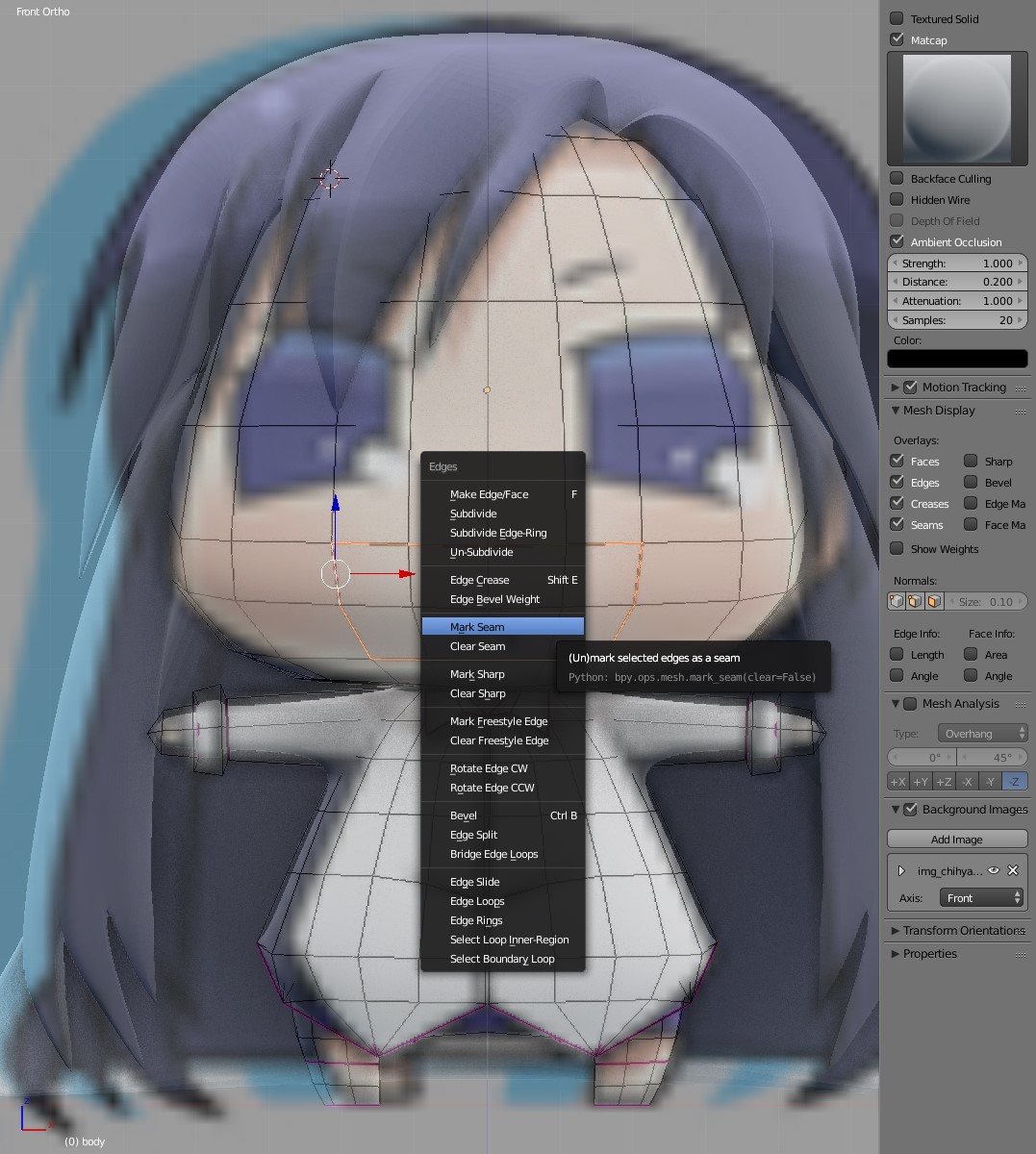
First, select mouth's edge. And press 'Ctrl + E' and select 'Mark Seam'.

And unwrap it.

Select eyes' edge. And do the same thing.

Make mouth image texture at the Photoshop for Chihya.
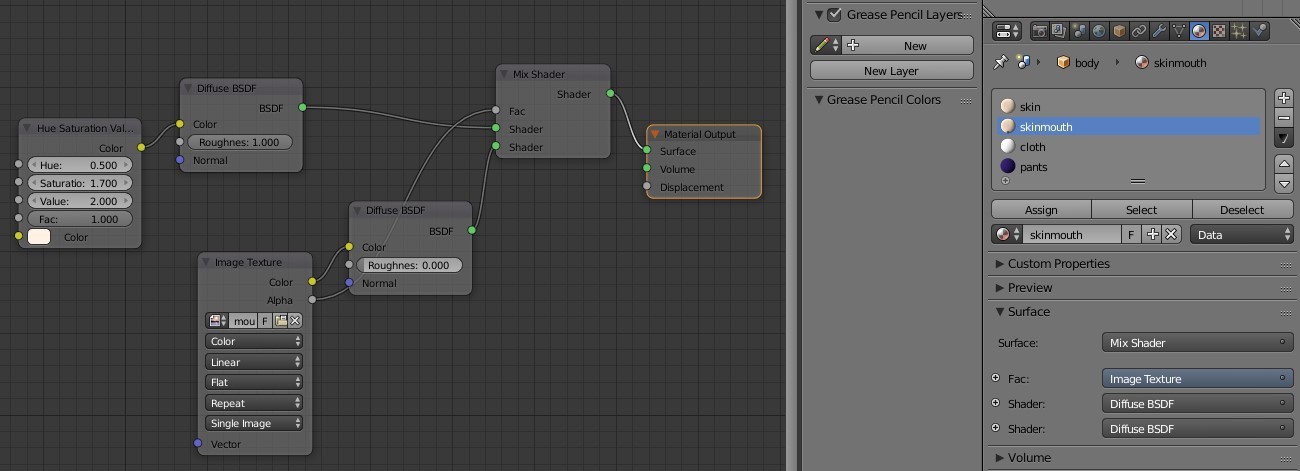
Copy the skin material, and add some nodes for UV mapping.

Open mouth image, and rearrange it.

Make eyes image texture at the Photoshop for Chihya.
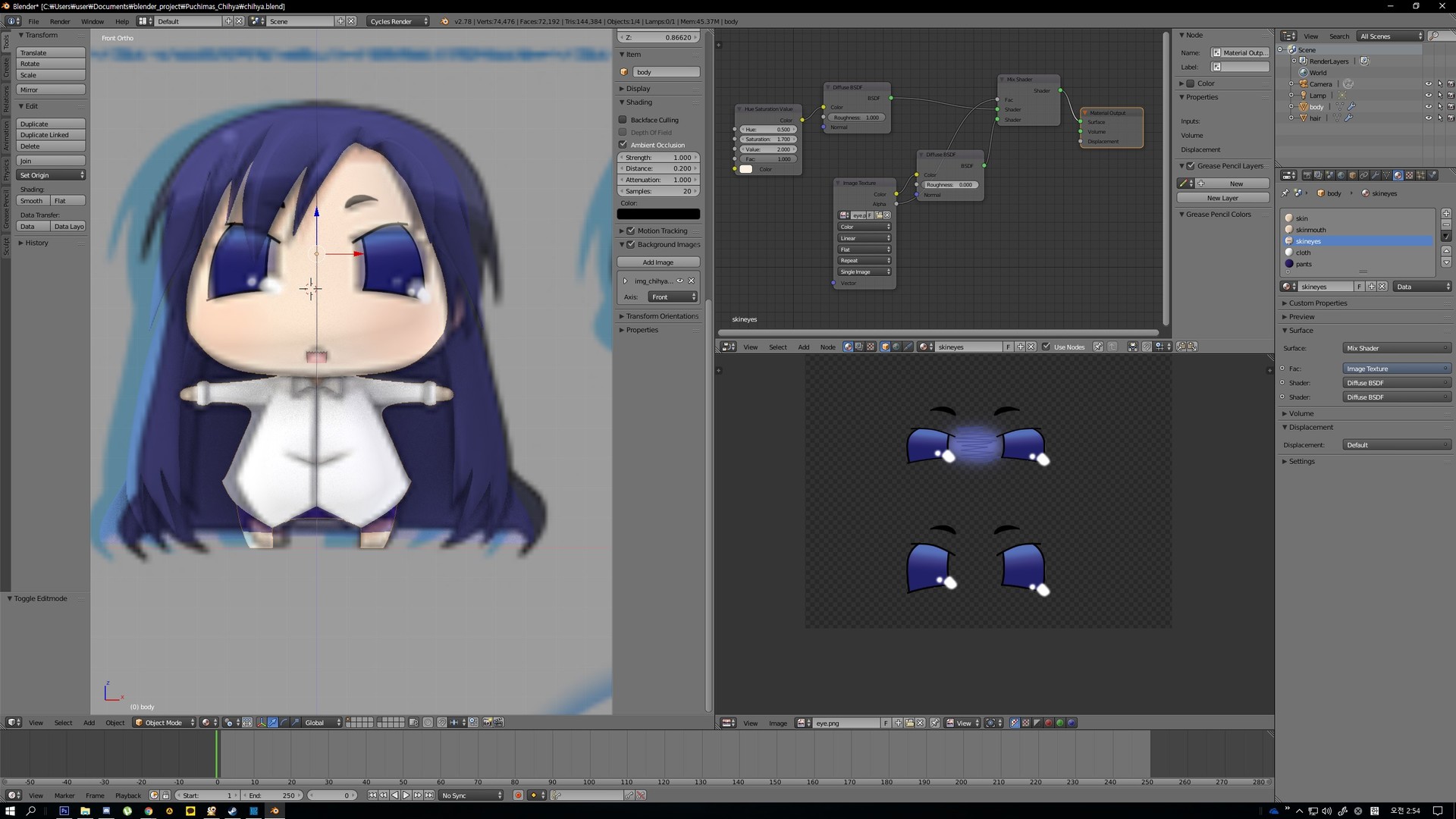
Ta da~

Chihya's rage face.